Hilfezentrum
Zu autoPatient wechseln
Opportunities - Guide on How to View Notes | autoPatient
Alle Sammlungen
Pipelines
Opportunities - Guide on How to View Notes
Opportunities - Guide on How to View Notes
Step by Step process on how to View Notes
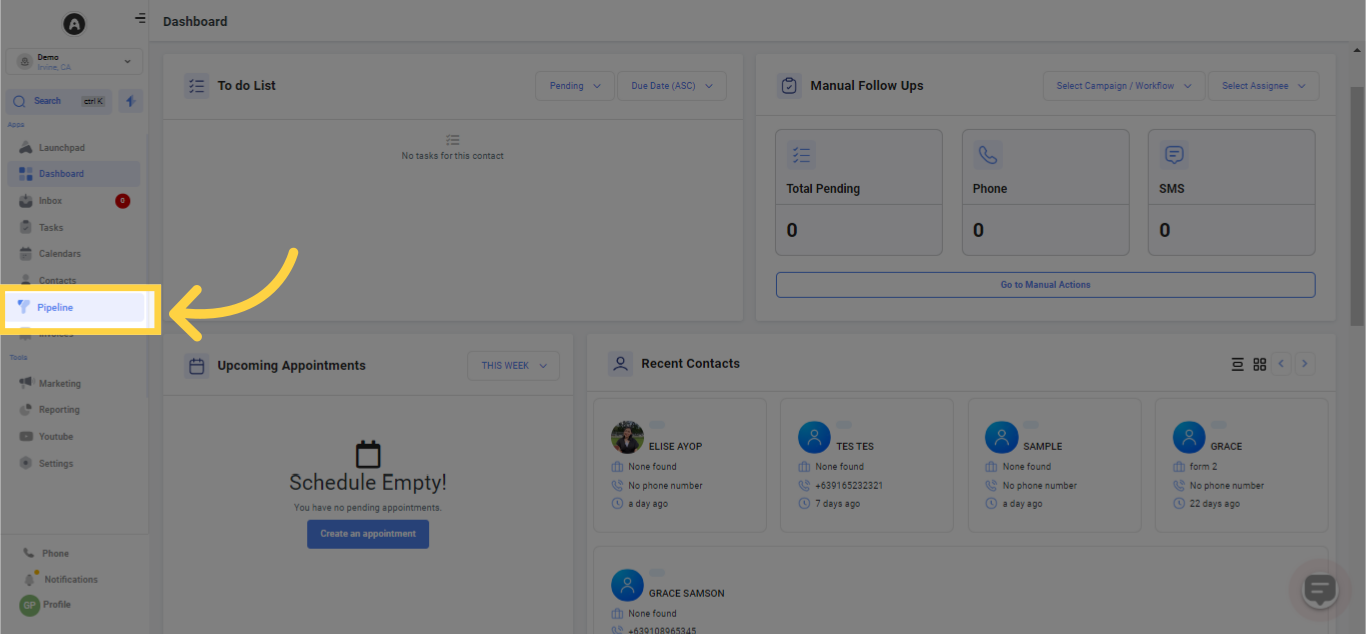
1. Select "Pipelines"
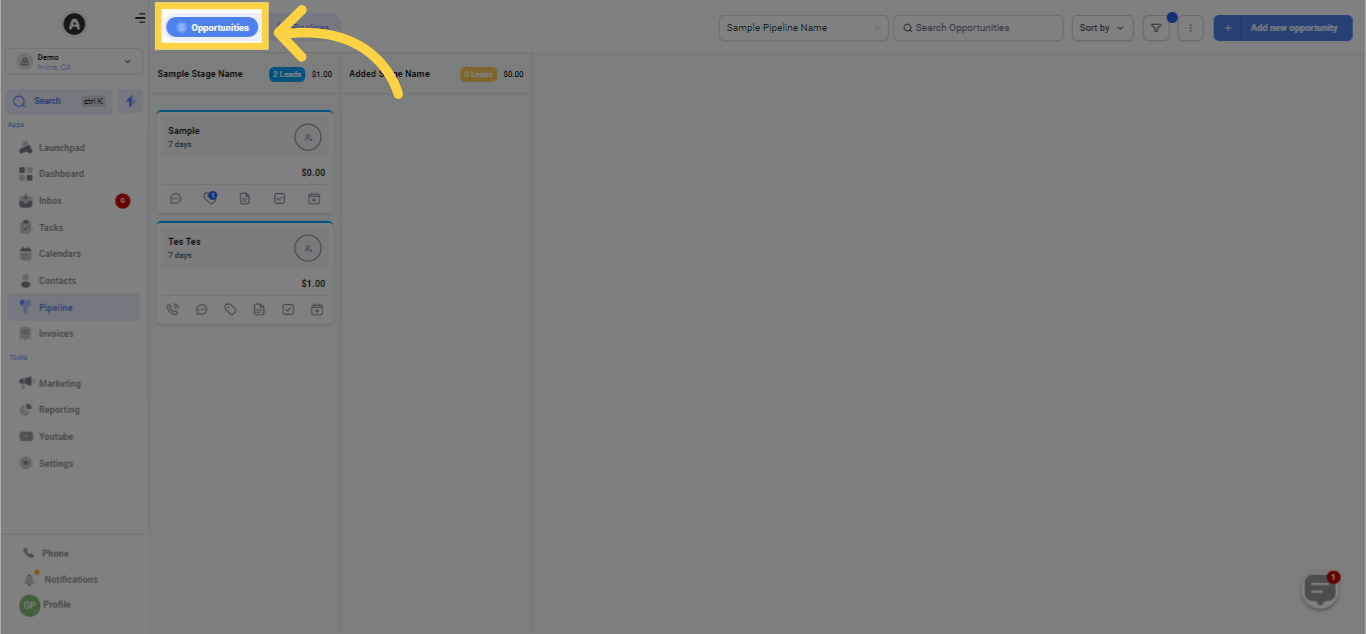
2. Click Opportunities
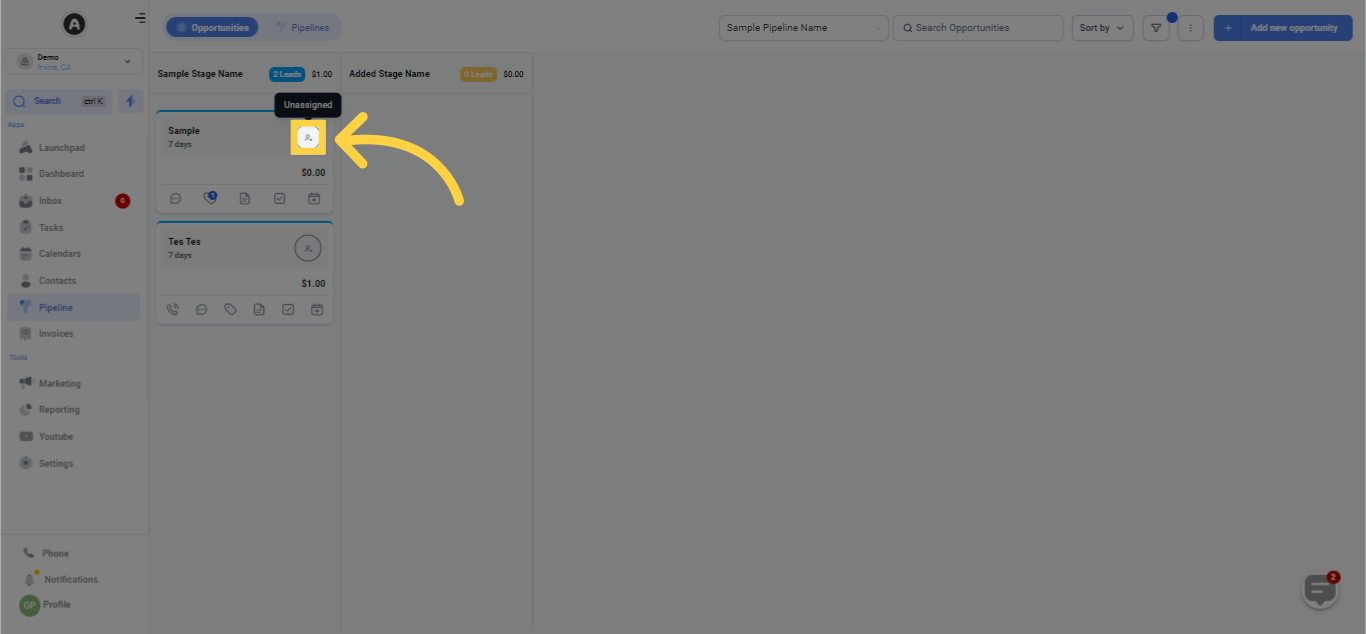
3. Click Icon to View Notes
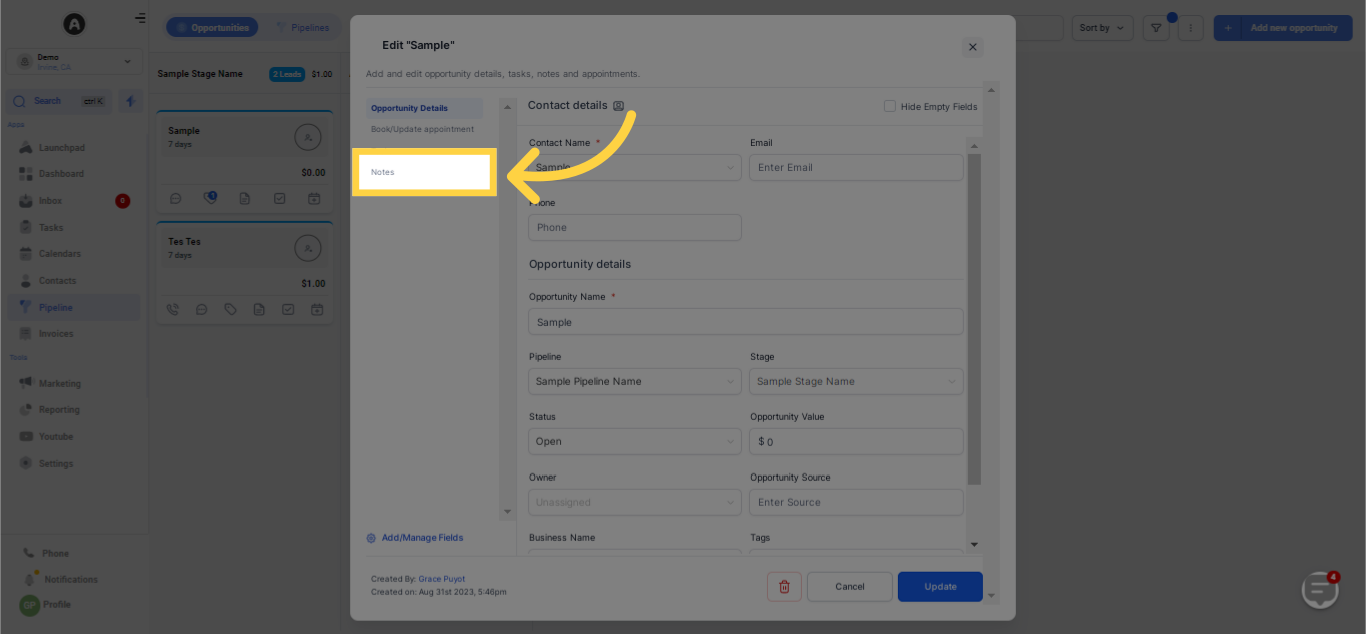
4. Click "Notes"
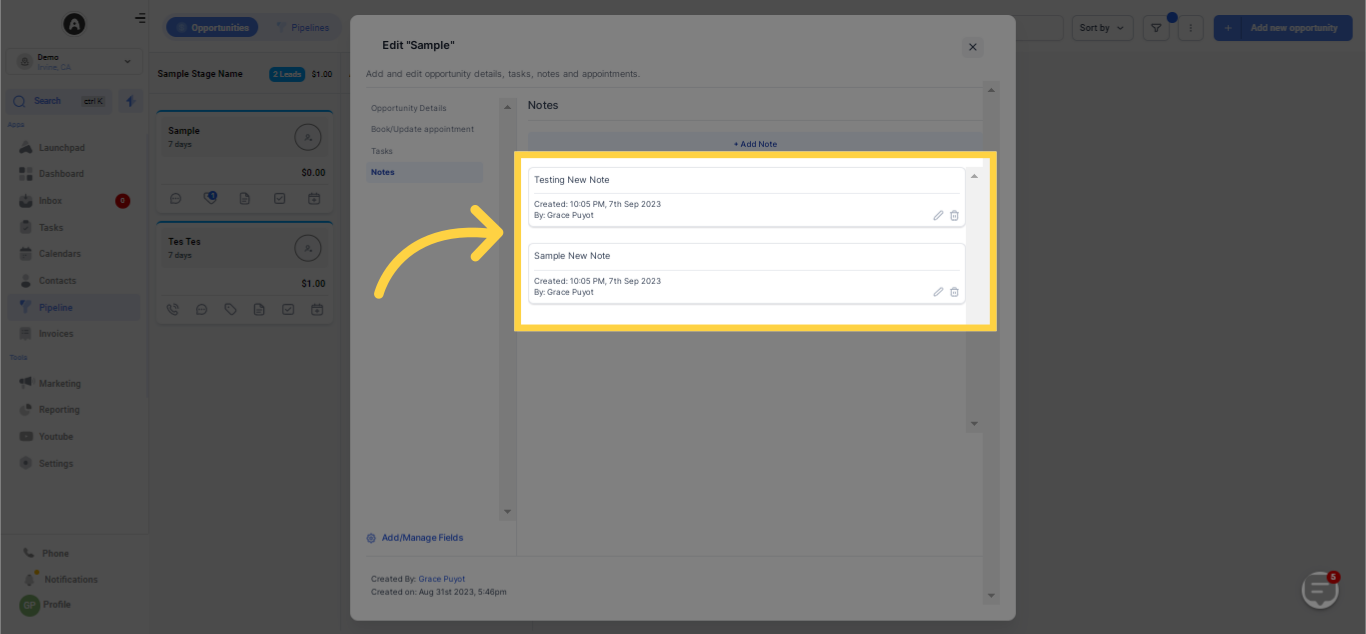
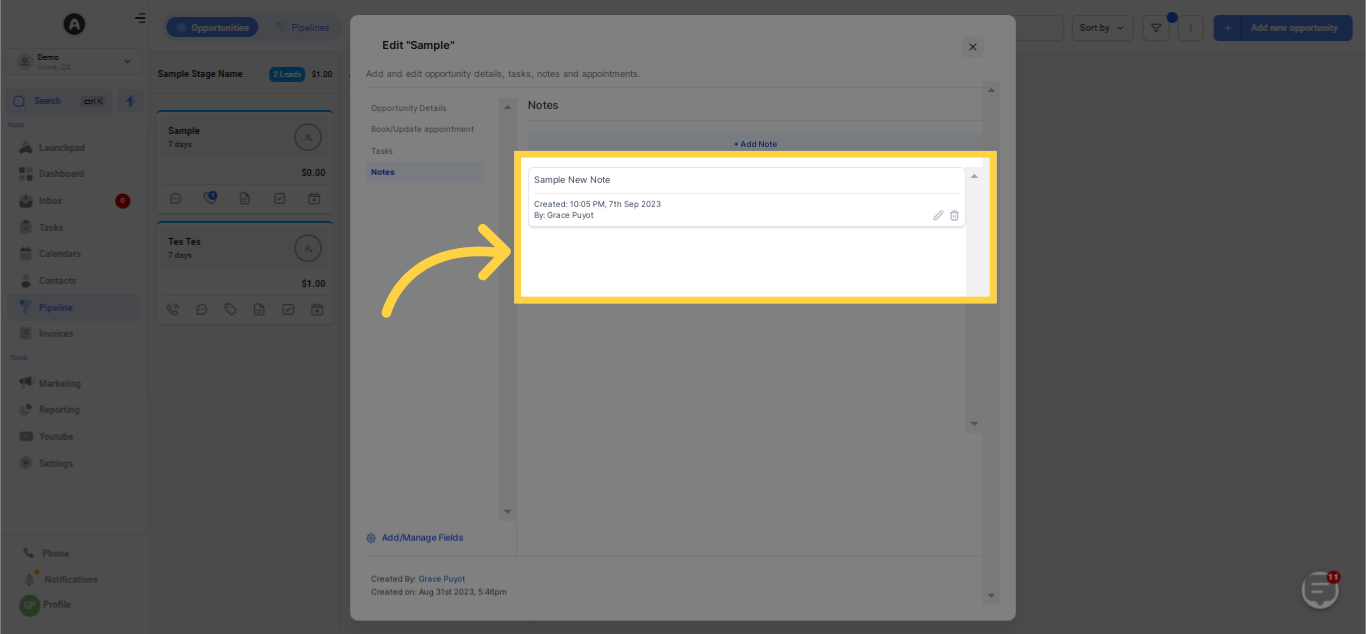
5. Notes List
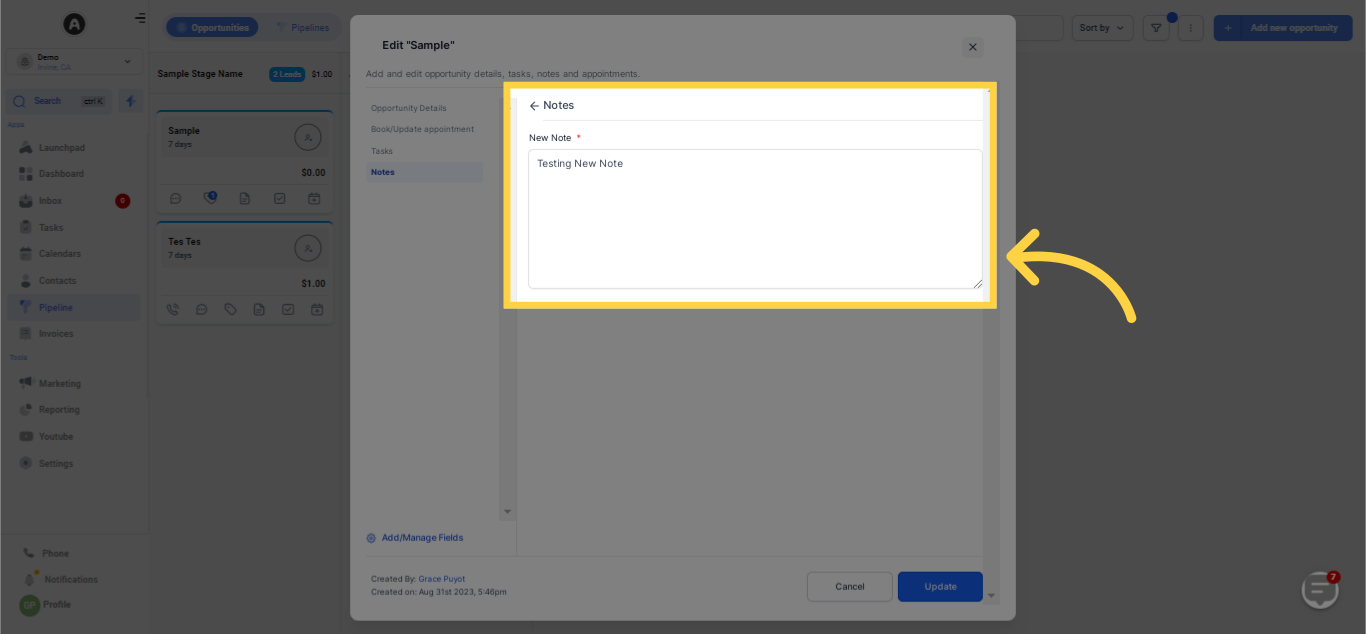
6. Edit Notes
Add or change notes
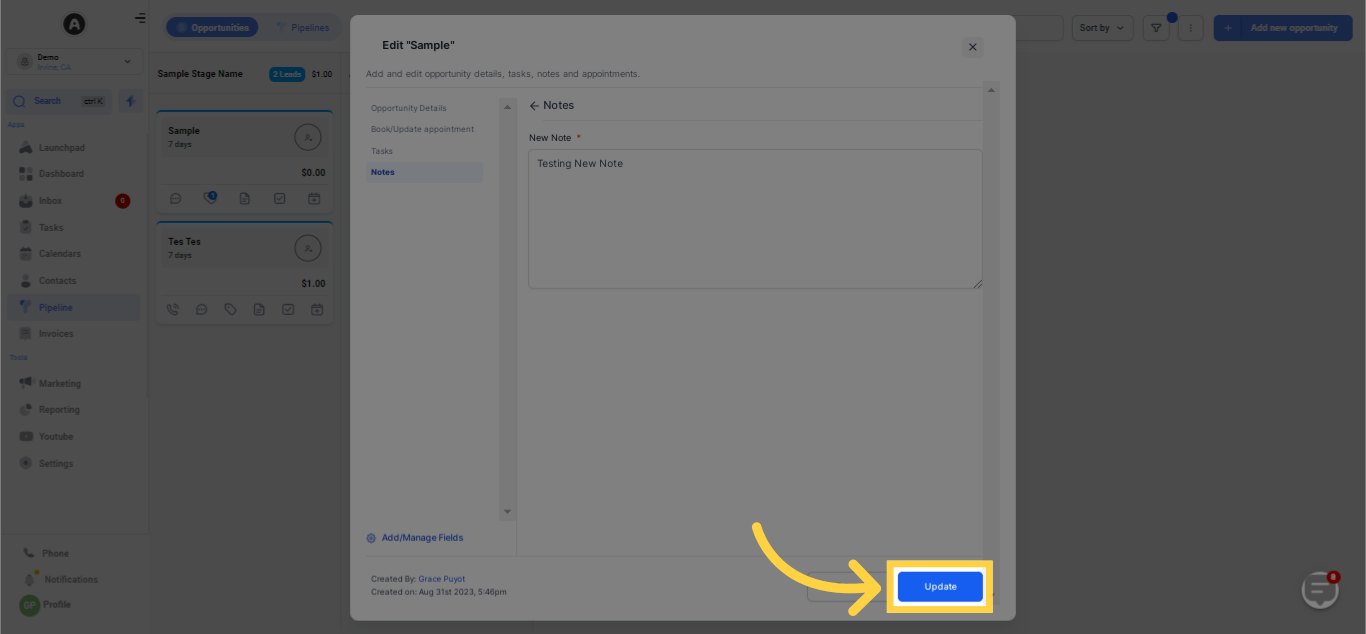
Click "Update" to save changes
Changes added successfully
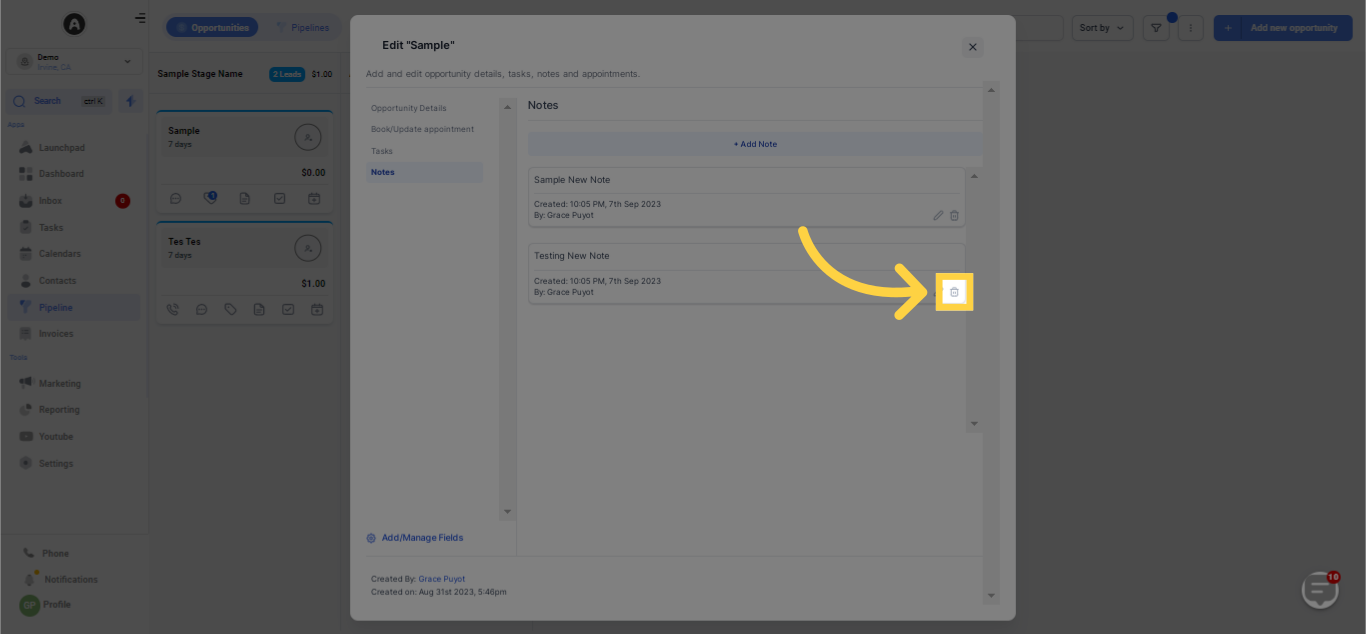
7. Click Icon to Delete Notes
Notes successfully deleted
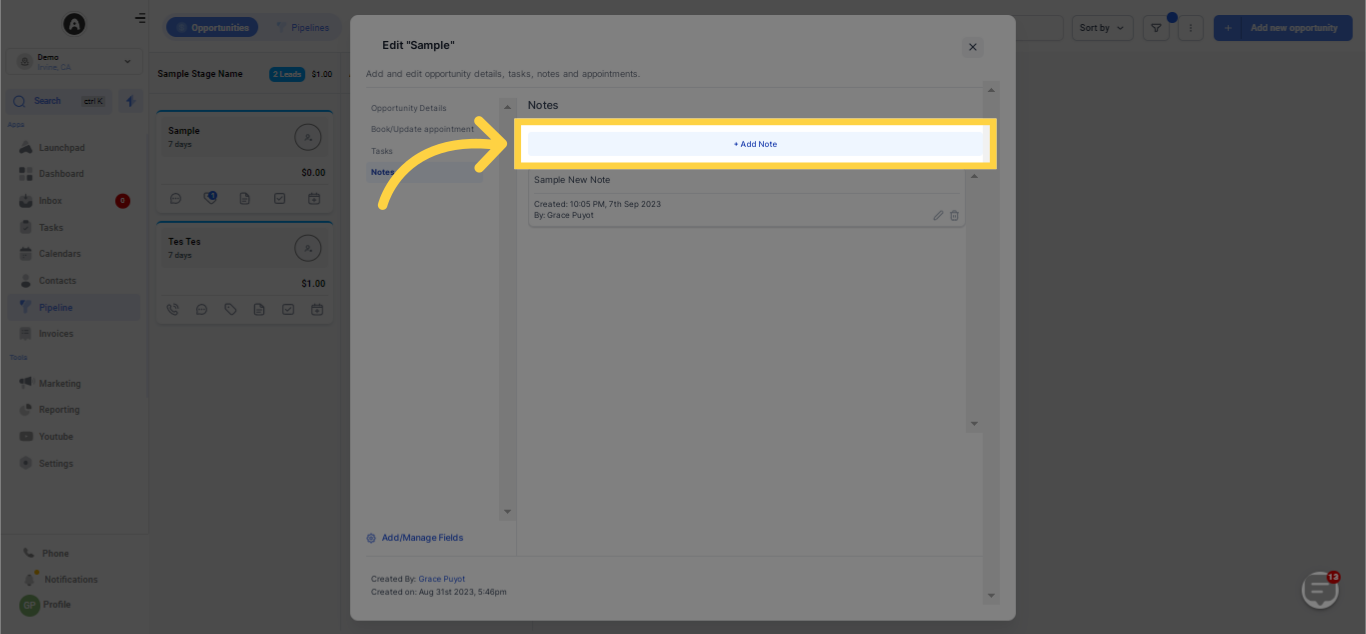
8. Click "Add Note"
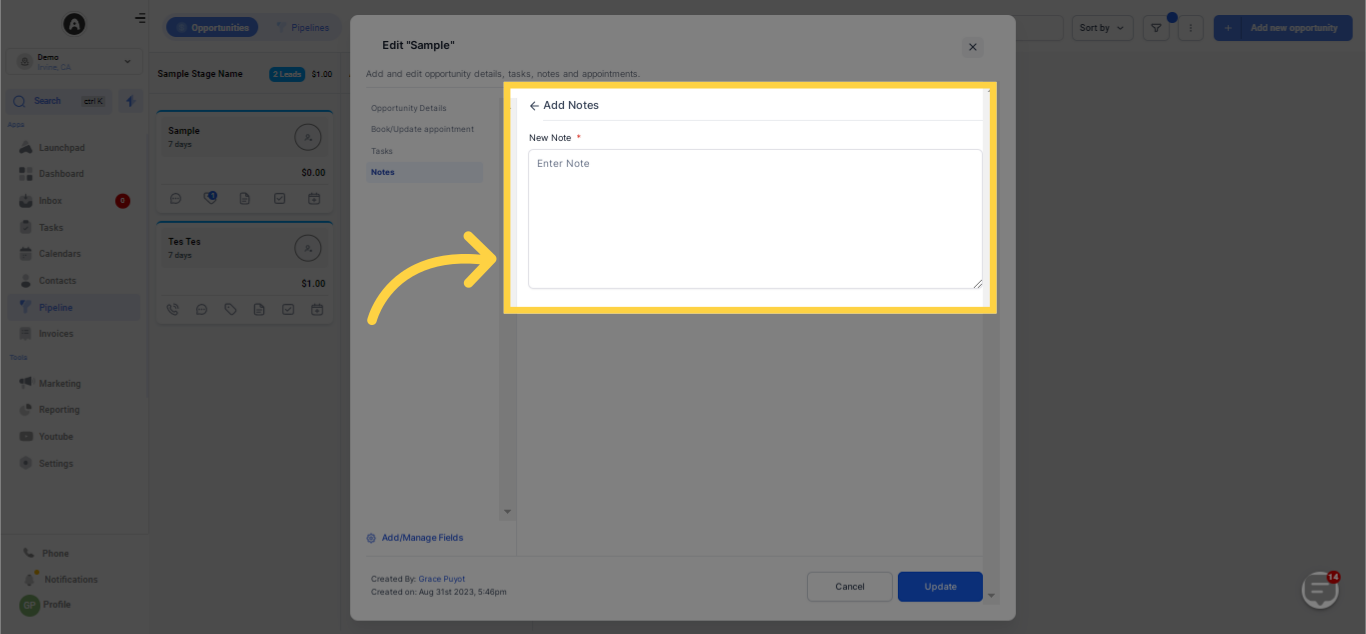
Provide Note Details
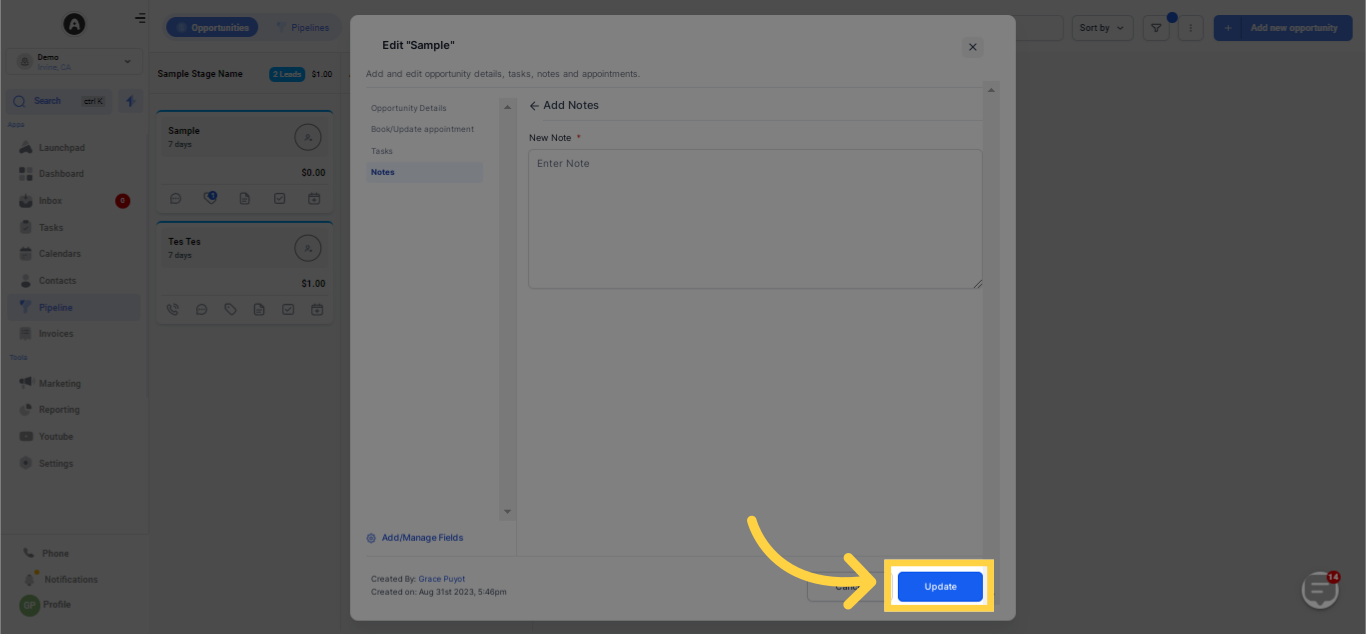
Click Button to Save Notes
War diese Antwort hilfreich für dich?
😞
😐
😁