Hilfezentrum
Zu autoPatient wechseln
Alle Sammlungen
Calendars
How to Create Group
How to Create Group
This guide will walk you through the process of creating a group in calendars
1. Click "Settings"
2. Click "Calendars"
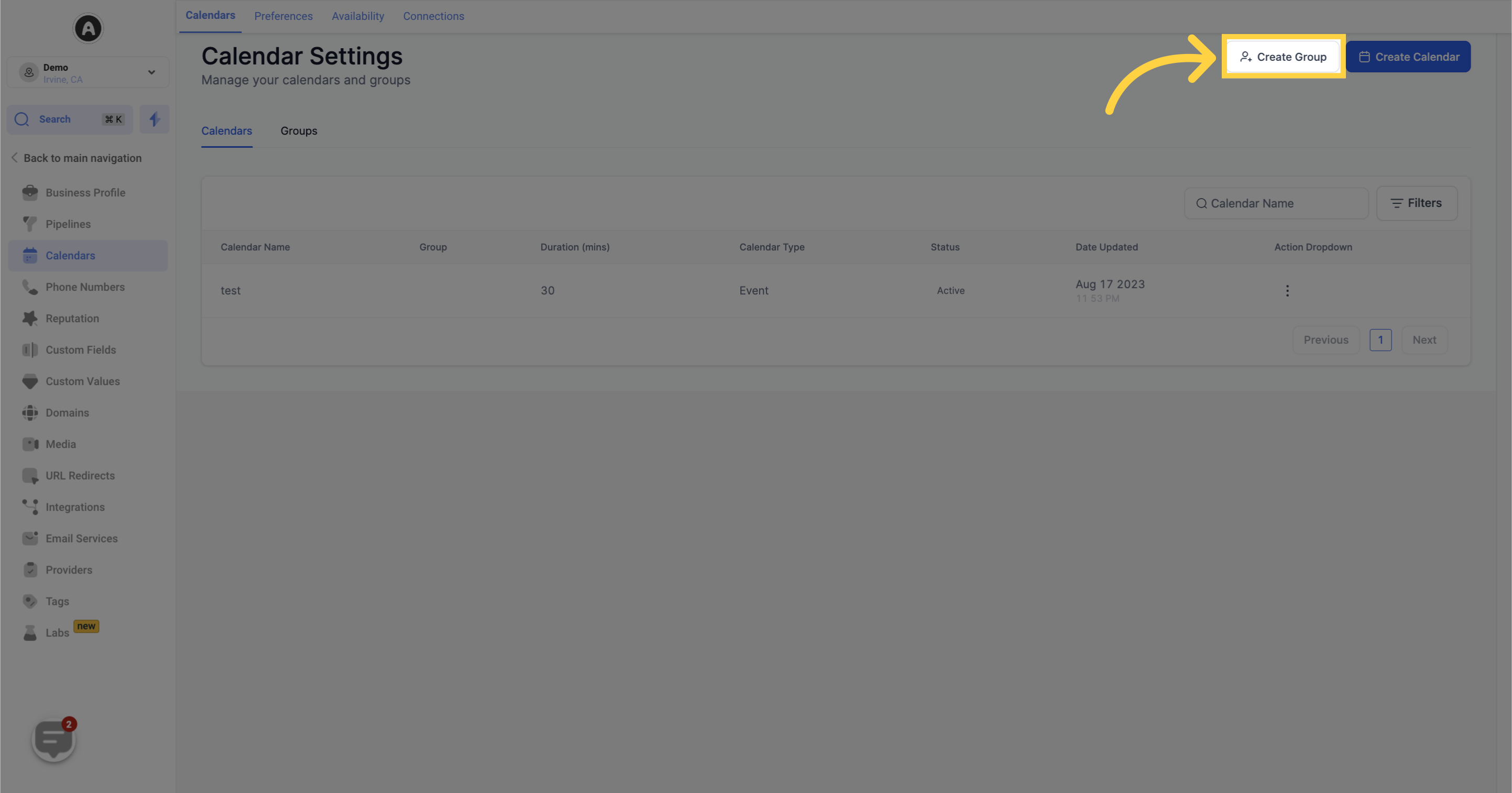
3. Click here to "Create Group"
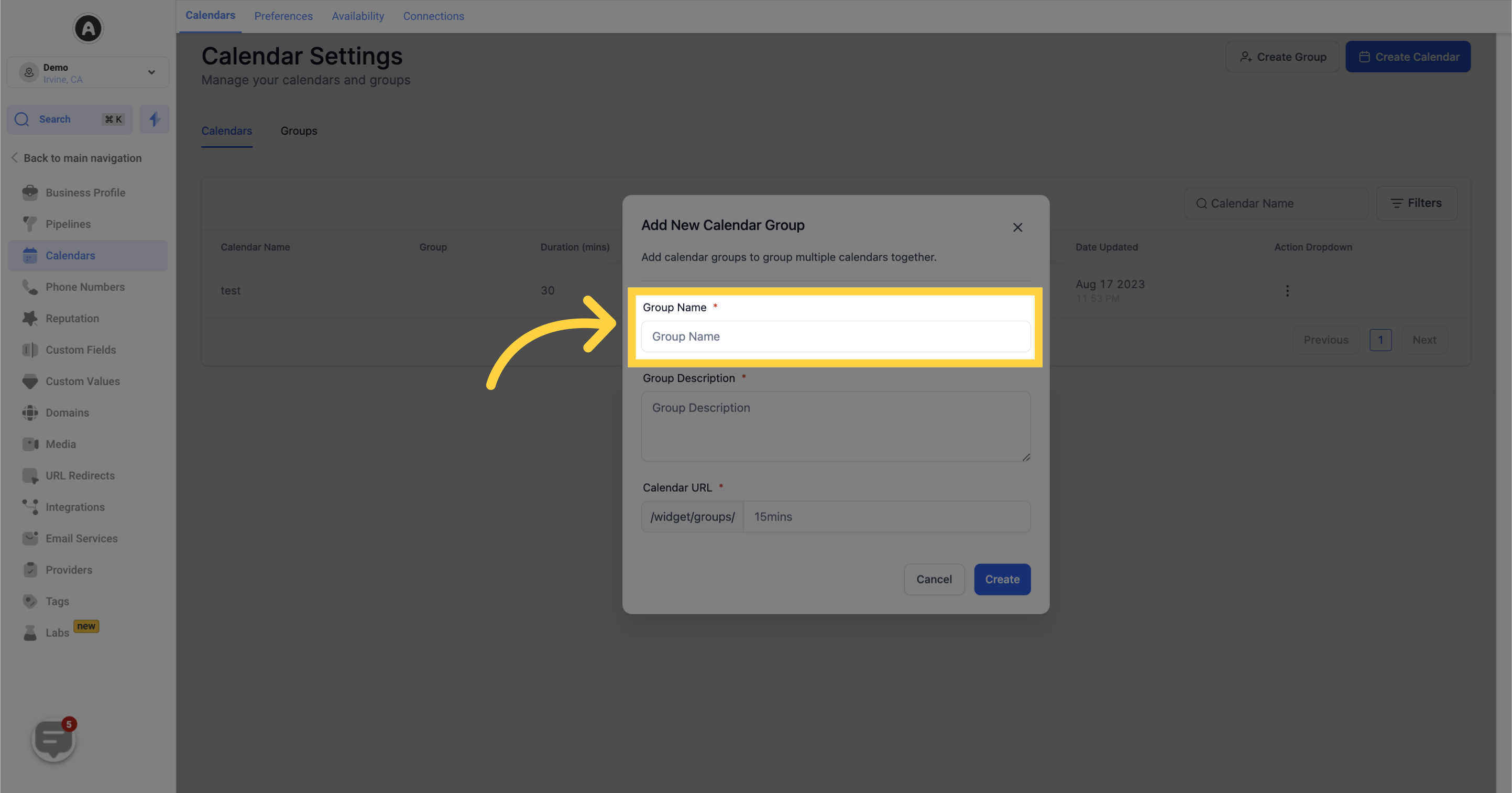
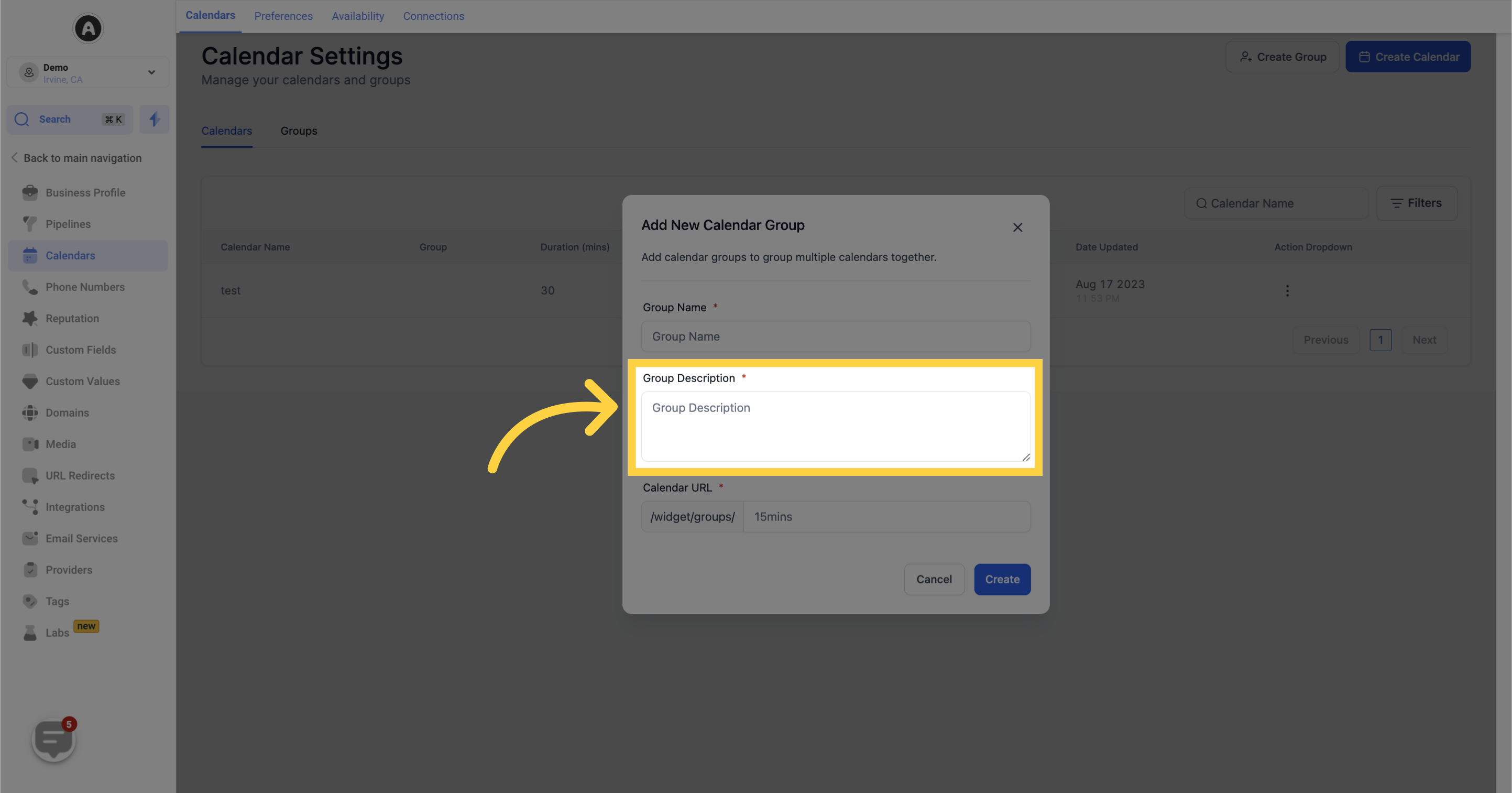
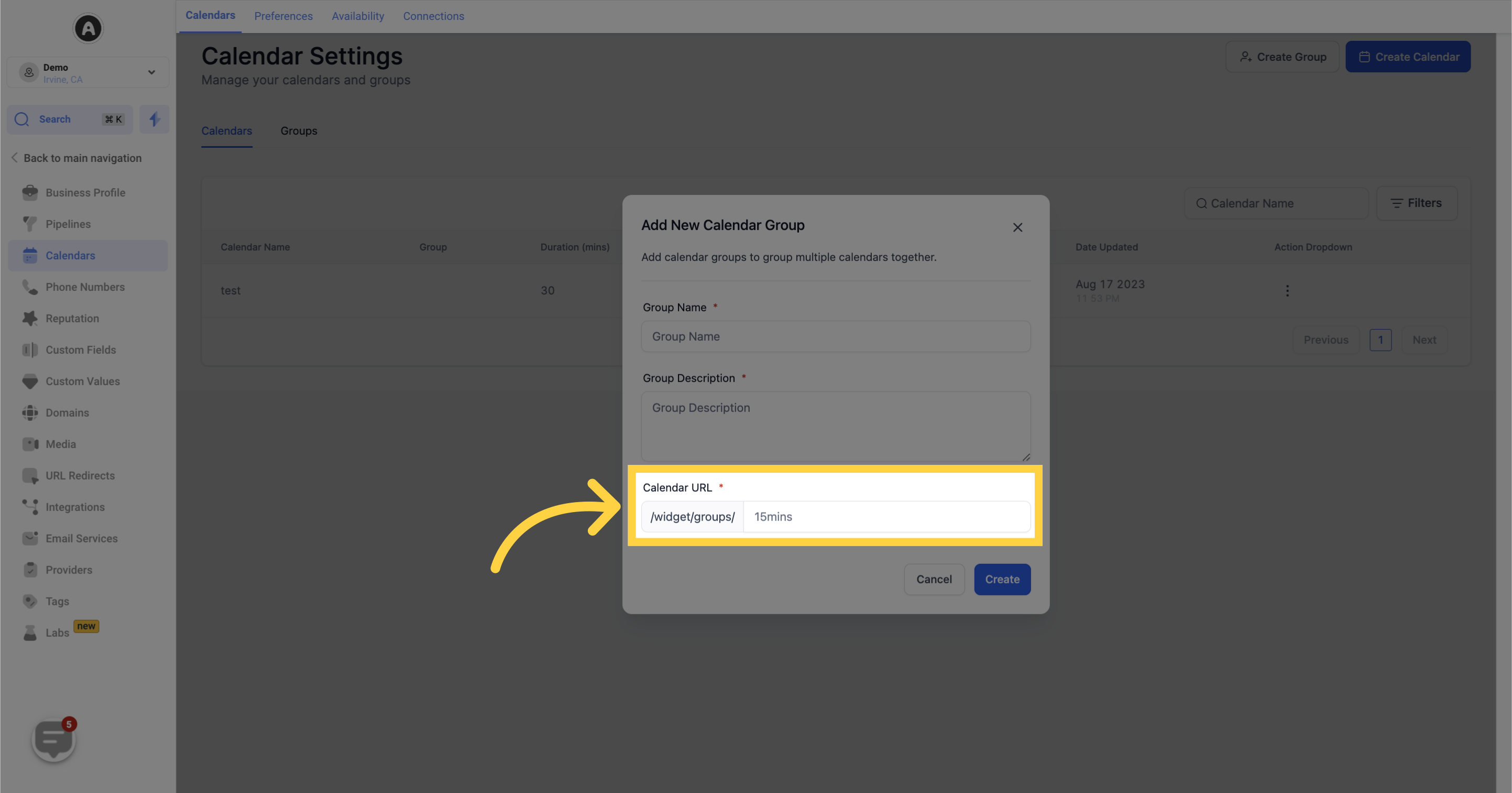
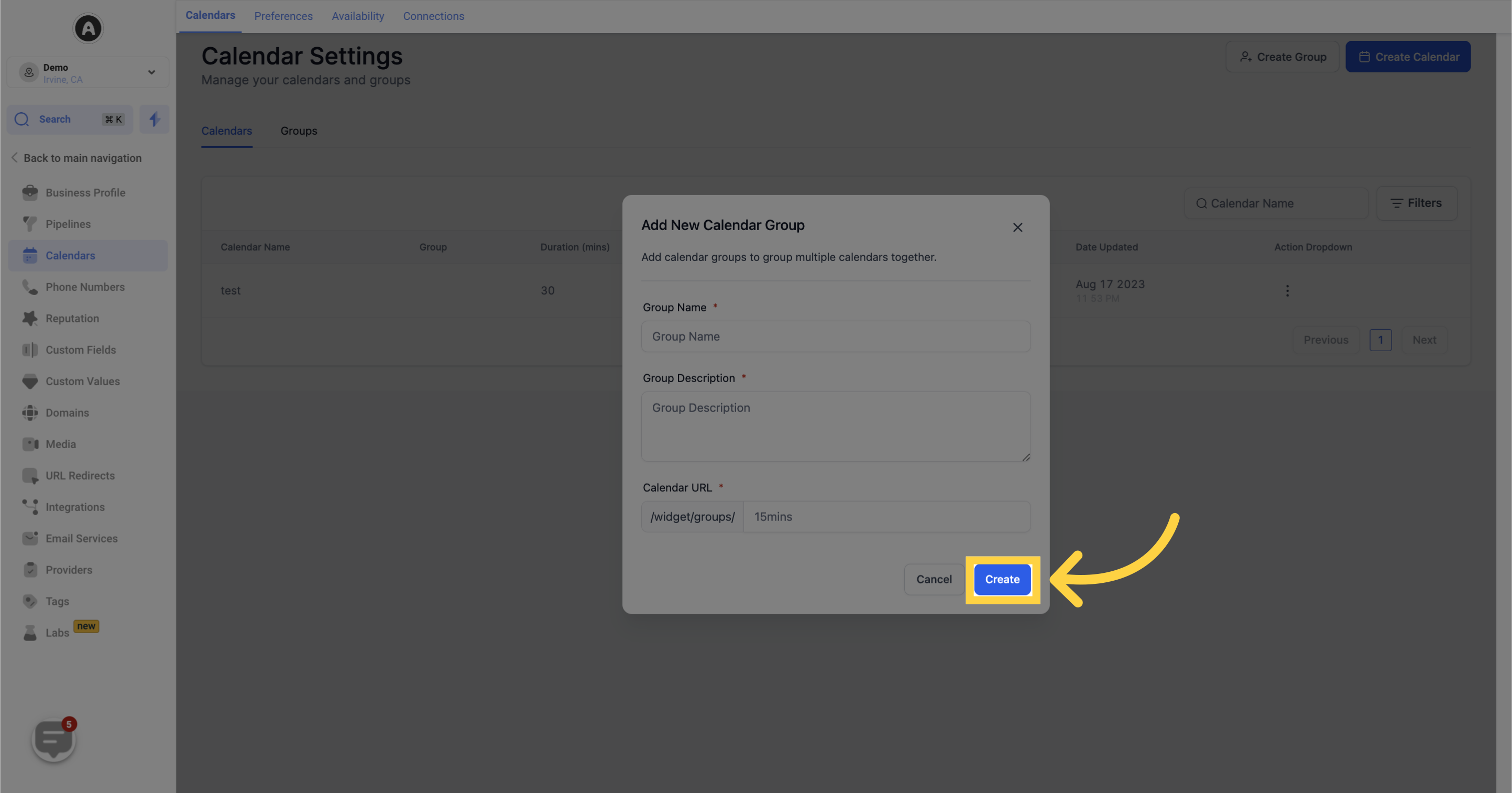
When setting up a new calendar group, make sure to provide the following details:
4. Input "Group Name"
5. Input "Group Description"
6. Input "Calendar URL"
7. Click "Create"
After filling out this information, simply click on the "Create" button to proceed to the next step.
War diese Antwort hilfreich für dich?
😞
😐
😁
How to Create Group | autoPatient